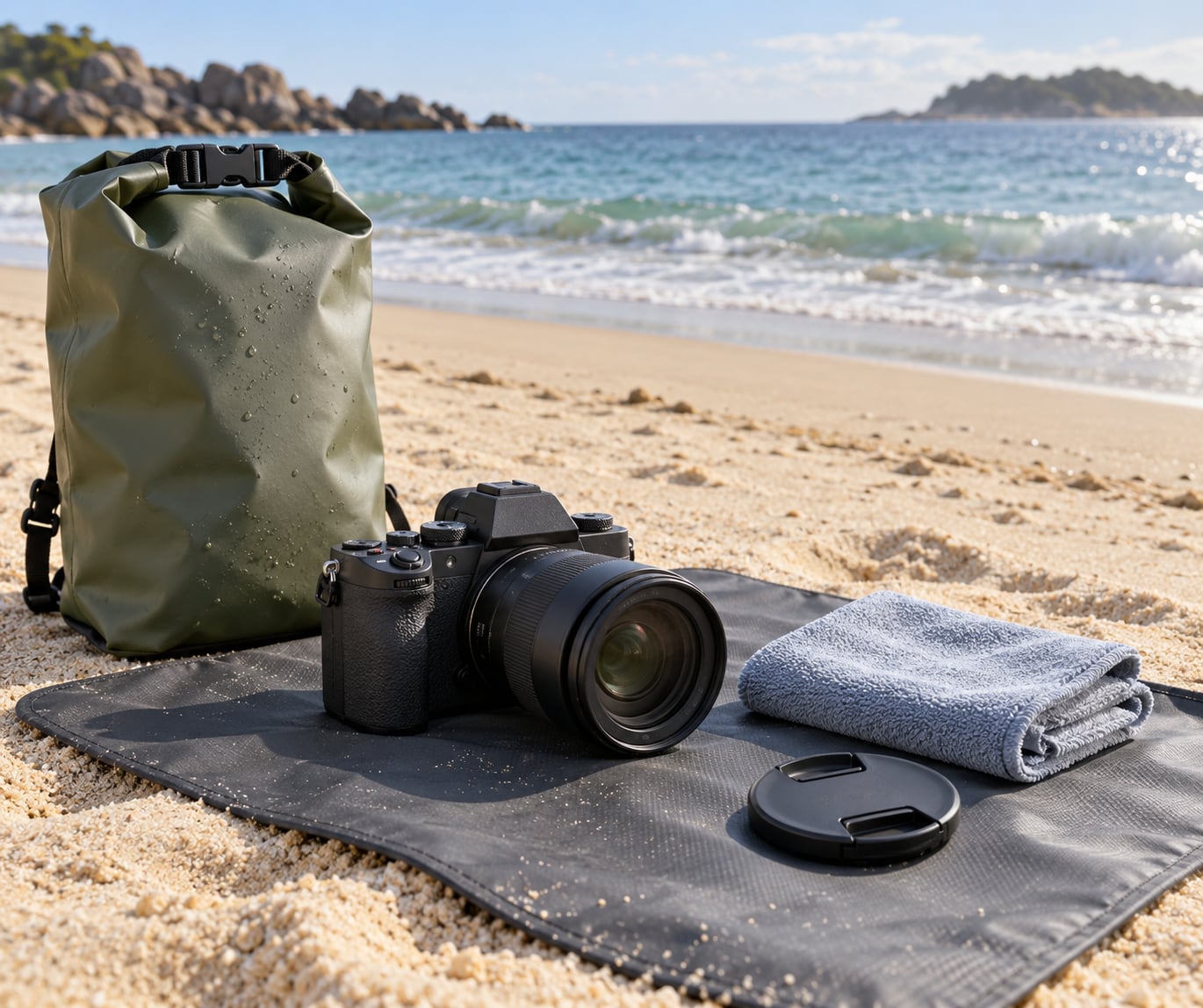
To keep a camera safe at the beach, keep three things away from it: blowing sand, salt water and salt-laden spray. Pack a padded waterproof case and a sealed dry bag, work from a clean surface above the wet sand line, and dry the gear completely the moment anything wet happens.
It takes about ten minutes of prep and hardly raises the effort of a normal shoot. The beach is only genuinely dangerous when gear touches bare sand or powered on while wet.
Table of Contents
- What You Need
- Step-by-Step
- 1. Check Whether Your Camera Is Beach-Ready
- 2. Prepare a Protective Kit Before Leaving
- 3. Change the Camera’s Handling Settings
- 4. Keep Sand Away Before Shooting
- 5. Protect the Camera from Saltwater and Sun
- 6. Wipe and Dry the Camera Correctly
- 7. Pack and Store It Safely After Beach Use
- Common Mistakes
- Frequently Asked Questions
- Can I take my regular digital camera to the beach?
- Is a waterproof camera case completely waterproof?
- How do I remove sand from a camera lens safely?
- Can I rinse a camera that was splashed with seawater?
- How can I prevent condensation when moving between air conditioning and the beach?
- What should I do if my camera gets wet inside a resort safe?
- Conclusion
What You Need
The kit scales with what you carry. A phone needs far less than a mirrorless body with two lenses.
- Padded waterproof case. A hard shell case for a mirrorless or DSLR body, a padded pouch with a sealed zip for a compact camera, and a dry pouch for a phone.
- Sealed dry bag or two zip bags. Sandwich the camera between them, leaving a little air inside, for a cheap second layer.
- Clean microfibre cloth. One for the body, one spare for the front element. A heavier weave holds more grit before it turns it into a scratch pad.
- Rocker blower or hand blower for moving loose grains off glass before anything touches it.
- Silica gel packets to toss into the case after a damp day.
- Lens cap and rear cap. Cheap insurance against the moment somebody bumps your table.
- Spare battery and memory card. So you can swap power without opening a compartment near sand.
- Fresh water in a small bottle for rinsing salt off the body.
- Clean white cotton towel as a staging surface. Light fabric shows contamination instantly, which is the point.
- A supervised storage place — a locked case, a zipped dry bag under your towel, or a hotel safe — for the hours you are in the water.
For a phone, add a tether and a water-resistant pouch. For an action camera in its housing, add a spare sealing ring and a lens cloth sized for the front port.
Step-by-Step
1. Check Whether Your Camera Is Beach-Ready
Weather sealed means the body resists moisture from rain and spray under test conditions. It is not the same as waterproof, and ratings usually cover a specific body paired with specific lenses, not every combination.
Read the manufacturer’s guidance before you go. If a lens is missing from the sealed list, treat the pairing as unsealed. A good outcome is a one-line note on your phone with the body, the sealed lenses, and whether the rating includes immersion.
Sand is the bigger, quieter risk. Sealing does nothing to stop grit entering a mount, a hot shoe or the gap around a card door, so a water-resistant body still needs the sand habits below.
2. Prepare a Protective Kit Before Leaving
Pack the kit so everything comes out in one motion. Case, dry bag, cloths, blower, silica gel, caps, spare battery, memory card, water bottle, towel.
Walk out of the door and back in without it. Anything you had to hunt for at the beach is a thing that will not be used. Success looks like one bag you can empty onto a dry mat in a single pass.
3. Change the Camera’s Handling Settings
Bright shoreline light fools meters, and contrast on wet sand is low. Switch to burst mode or shutter priority so a wave or a running dog does not cost you the frame, and check that auto focus does not hunt when you shoot into a flat, bright sky.
Confirm the date, time and time zone while you are still on the towel. Top up the card and charge the spare. You do not want to open a battery door over damp sand at the end of the afternoon.
4. Keep Sand Away Before Shooting
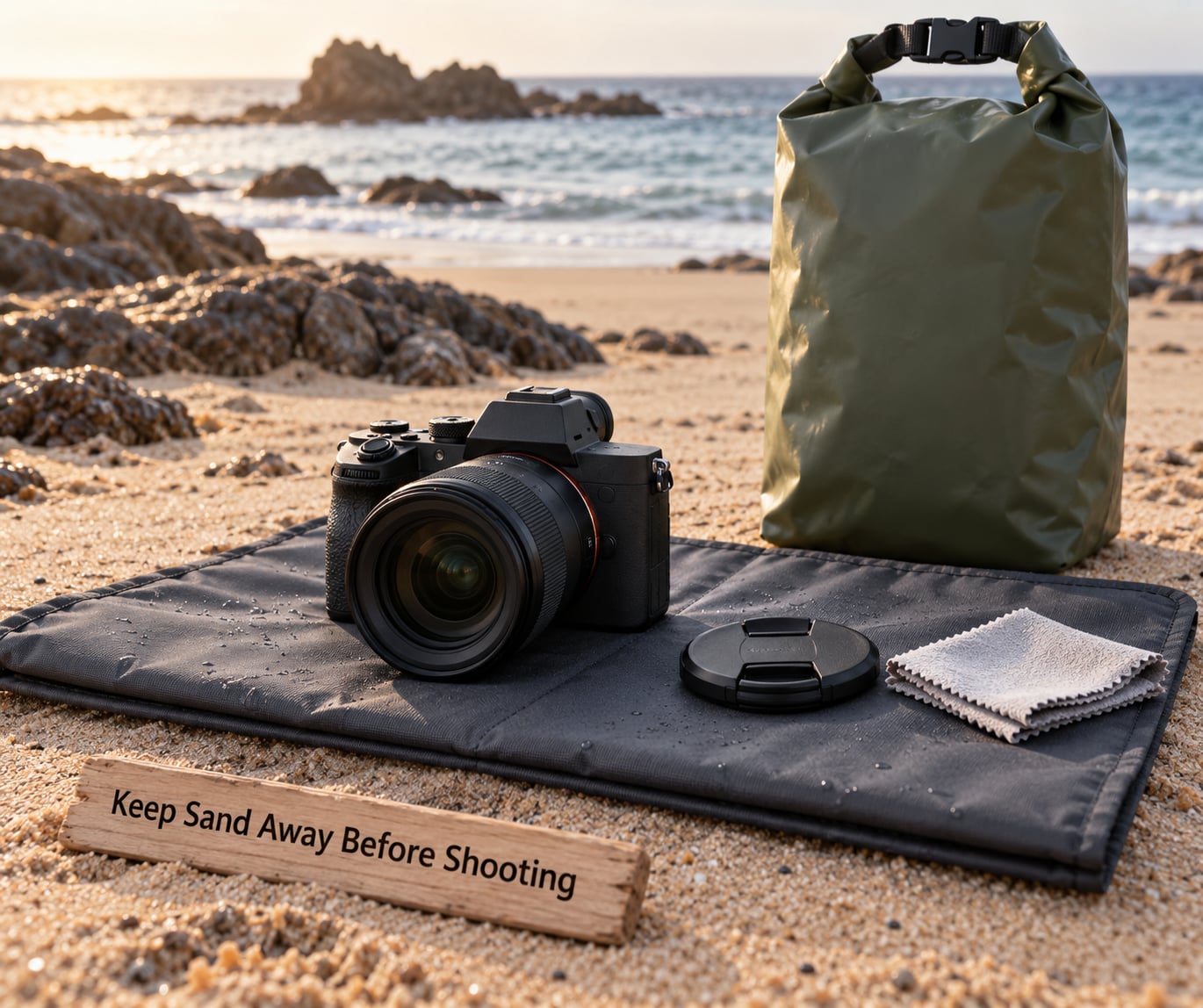
Never rest a camera on a beach towel or bare sand. Towels weave, so grains sit on the surface and end up on your hands and then on the back screen. Use the folded waterproof mat or the cotton towel as a staging area above the damp line.
Keep zips fastened while walking and moving around. Fine sand crosses a few metres of open beach in under a minute and settles in seams, buttons, dials and lens mounts.
The success signal is simple: you can put a hand on the grip, the shutter and the lens barrel and find nothing gritty.
5. Protect the Camera from Saltwater and Sun
Set up further back than feels necessary. A wave that looks harmless at ten metres reaches your mat after you have stopped shooting.
Use a lens hood to cut glare and keep spray off the front element, and shoot from shade or an umbrella when you can. Strong sun on a dark body heats it fast, so keep gear in an insulated bag and out of direct sun, and never leave it in a parked vehicle.
Watch temperature swings. Moving from air conditioning straight to hot, humid beach air condenses moisture on and inside the body. If you go back and forth, seal the camera in a bag and let it warm before opening.
Two rules never bend: never rinse a camera that is not rated for immersion, and never switch it on while it is wet.
6. Wipe and Dry the Camera Correctly
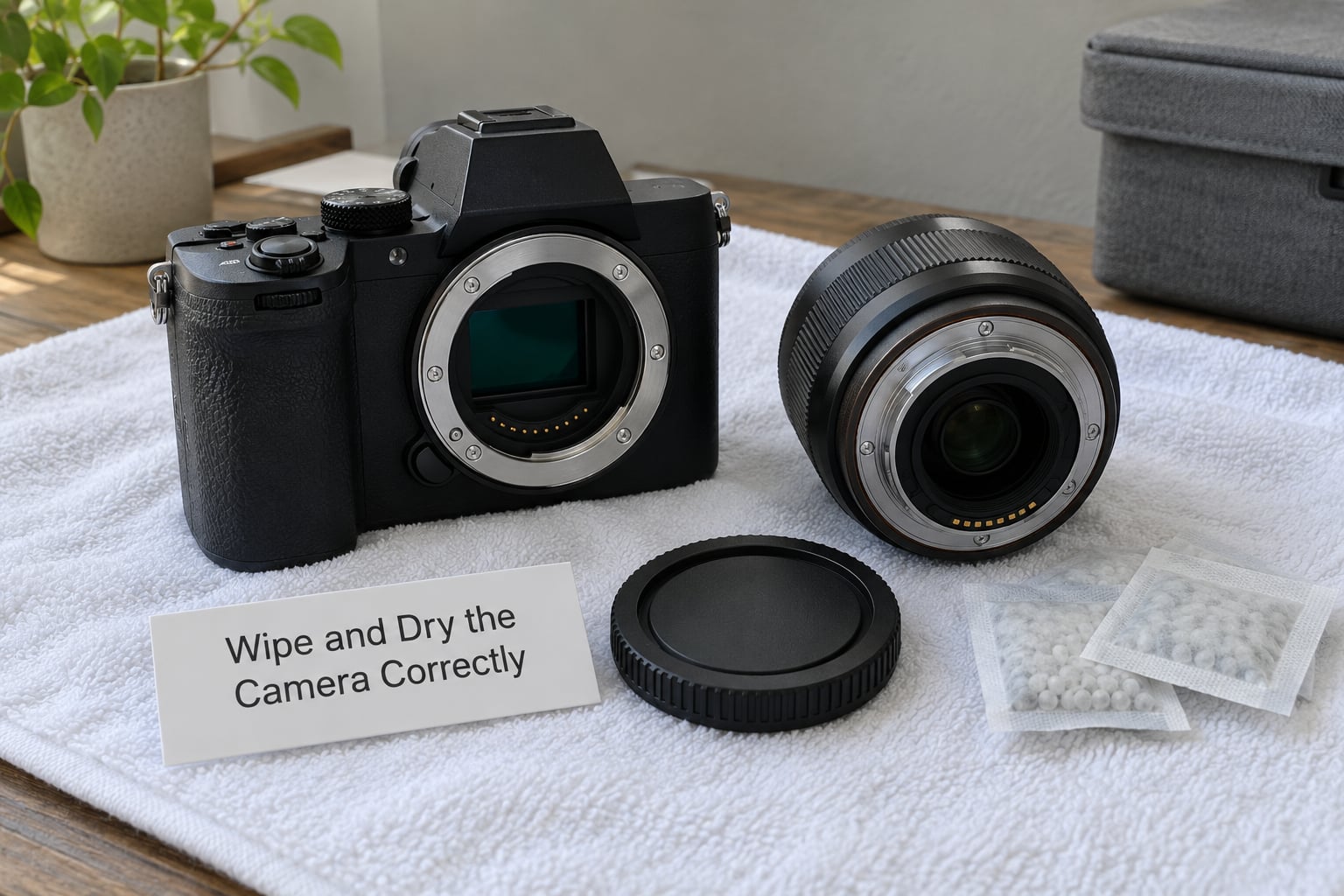
Salt water carries dissolved salt, and salt plus damp plus metal is corrosion. Speed matters more than technique.
- Stop using the camera immediately.
- Power it off, then remove the battery and the memory card if you can do it over the mat or towel.
- Blot the exterior with a dry cloth. Blot, never rub.
- Rinse the body with fresh water if the manufacturer allows it, keeping the stream away from ports and openings.
- Wipe exterior surfaces, including the seams around doors and the hot shoe, with a lightly dampened cloth.
- Let every part air-dry fully in shade, away from direct sun and heat, with silica gel nearby. Give it 24 to 48 hours before powering up.
Do not use rice, do not blow grit off glass with your mouth, do not fire compressed air into the body, and do not use a hairdryer or any heat source. Hairdryers drive moisture further in and push grit past seals.
You know it worked when the body and lens feel dry and room temperature, with no fog on the rear screen after a power-up. Slight mist on a cold morning is normal; mist after a day in air conditioning is not.
7. Pack and Store It Safely After Beach Use
Run a check before the case closes: no grains on the grip or around the mount, caps on, doors shut, sensor window clear, nothing damp inside the bag.
Silica gel packets help if the day was damp. Skip the case indoors if anything was wet, because a sealed case traps moisture and turns a problem into a bigger one.
Keep gear away from direct sun, parked cars, luggage pressure and anywhere saltwater vapour lingers, such as a poolside table at the end of the day.
Common Mistakes
Treating water resistance as waterproof. Sealing is a rating under test conditions, not permission for immersion. The fix is to check the manufacturer’s paired body-and-lens list and stay above the wet sand line.
Changing lenses near sand. One lens change over a beach towel can put grit straight onto the sensor, and cleaning it afterwards risks grinding that grit across the sensor shield. The fix is to decide the lens at the shoreline and stick to it.
Handling gear with sunscreen hands. Oily film smears the screen, attacks the anti-reflective coating and holds grit against glass. The fix is to wipe hands with fresh water and dry them before touching the camera.
Leaving gear in a hot car. Interior temperatures climb fast, and heat plus humidity inside a closed case is a slow way to ruin electronics and promote fungus. The fix is to bring gear into the accommodation, not just out of direct sun.
Storing while damp. A sealed case traps the moisture it just swallowed. The fix is to air everything out fully before the case closes.
Touching controls with sandy fingers. Grit pushed under buttons and dials is what makes them stick. The fix is to blow or brush off your hands and use the cloth, never a fingertip, on the screen.
Leaving gear unattended on a towel. A beach towel signals valuables to a casual thief, and wind takes a tripod with it. The fix is to keep the camera on your person, tethered or strapped, and to wind a tripod with sandbags or weigh it down.
Frequently Asked Questions
Can I take my regular digital camera to the beach?
Yes, plenty of people shoot beaches every week without problems. The gear that struggles is any body with an extending zoom barrel or a breathing lens, because those gaps draw sand in. Fix that lens, stick to one lens for the session, work from a towel above the wet sand line, and pack the case and dry bag before you go. Real damage usually comes from a body left in hot sand, not from a careful shoot.
Is a waterproof camera case completely waterproof?
No. A case rated for a depth is only as good as its seals, its dry tube and its closure. Sand on a sealing rim defeats the seal faster than water does, so rinse the rim in fresh water, check the O-ring for cracks and never carry the case with the lens exposed. Test it empty on shore first, and keep silica gel inside. A housing buys you surf shots; it does not buy you carelessness.
How do I remove sand from a camera lens safely?
Move loose grains off first. Use a hand blower, then a very soft brush, holding the glass steady and working from the centre outward. Only after the glass is clean do you wipe with a lightly dampened microfibre cloth in small circles. Wiping grit across glass is what scratches coatings, and the damage shows up as permanent haze in backlit shots. If grit is stuck, change nothing and deal with it indoors.
Can I rinse a camera that was splashed with seawater?
Usually yes, with fresh water, and the sooner the better. Power off, remove the battery if you can, then rinse the exterior while holding the body so water runs away from ports and doors. Do not open any compartment, do not push a lens in or out, and do not power it up to test. Follow the manufacturer’s cleaning guidance when you own one, then let the gear dry 24 to 48 hours before use.
How can I prevent condensation when moving between air conditioning and the beach?
Seal the gear before you go inside. Put the camera in a closed dry bag or zip bag, ideally with silica gel, while it is still cool, and leave it there until it reaches room temperature, usually one to two hours. Opening the case straight away traps humid air against a cold body and fogs the sensor. Fogging that clears after warming is harmless; fogging that stays, or spots that remain, means moisture reached something that needed professional attention.
What should I do if my camera gets wet inside a resort safe?
Take it out and treat it like any other saltwater exposure, because a safe does not slow corrosion, it just delays it. Power off, remove the battery and card, blot rather than rub, rinse the exterior with fresh water if the manufacturer allows it, and air-dry everything in shade with silica gel for 24 to 48 hours. While it dries, open the case and leave the room ventilated. Do not store damp gear in a closed safe overnight.
Conclusion
Start by checking your camera’s sealing limits, then pack a dry, padded protection kit before you walk out of the door. Everything after that follows one order: prevent exposure, keep lenses and ports away from sand, power down and dry the moment anything gets wet, and inspect before the case closes.
Shoot with one lens, work above the wet sand line, and keep the camera on your body rather than on a towel. That habit alone removes most of the risk people worry about.