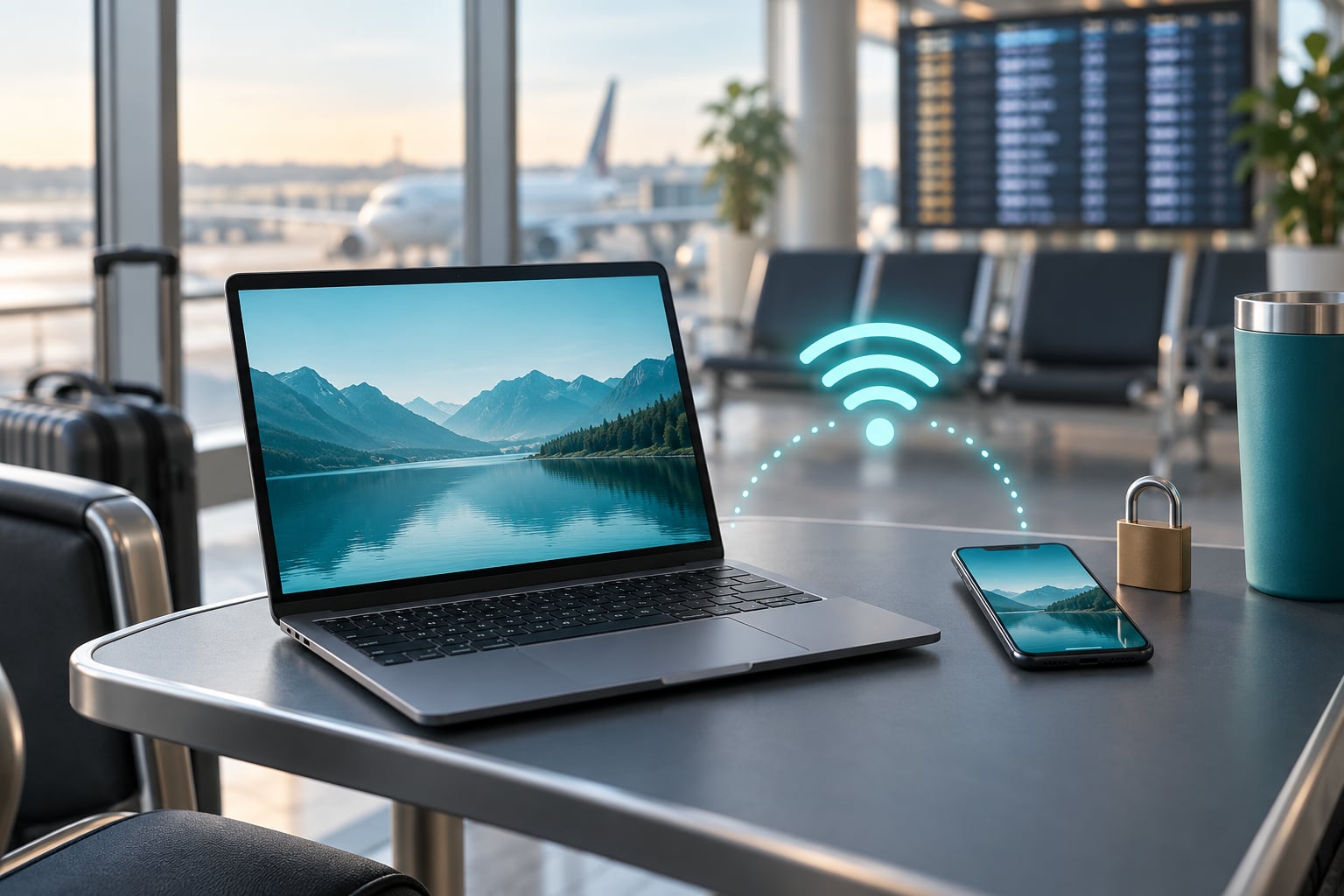
Short answer: yes, airport WiFi is fine for ordinary browsing, but it is an open network you do not control, so banking, payments and work logins are better saved for a connection you trust. Whether airport WiFi is safe to use really comes down to what you open on it and what protection you turn on first.
I fly most months, and my own rule is dull on purpose. News, flight status, a boarding pass, a movie I have already downloaded. Nothing that would hurt me if a stranger read it for thirty seconds.
The panic around airport Wi-Fi is half real and half theatre. Someone standing in a terminal is not typically rifling through your traffic. But the same convenience that lets a stranger sit next to you also lets a stranger broadcast a network with the same name as the real one, and that possibility is enough reason to change your habits.
Table of Contents
- Is Airport WiFi Safe to Use?
- Why airport Wi-Fi is different from your home network
- What Are the Main Risks of Airport WiFi?
- What Can You Do to Use Airport WiFi More Safely?
- Warning signs worth walking away from
- Should You Use a VPN on Airport WiFi?
- Is It Safe to Do Banking or Shopping on Airport WiFi?
- Is airport WiFi safe to use for banking?
- How Do You Spot a Fake Airport Wi-Fi Network?
- Airport Wi-Fi vs In-Flight Airline Wi-Fi
- What Devices and Settings Should You Prepare Before Traveling?
- Platform specifics
- If you think you joined a fake network
- Frequently Asked Questions
- Is airport WiFi safe to use at all?
- Is it safe to use airport WiFi with a VPN?
- What should I do if the airport WiFi network name looks fake?
- Is it safe to use WiFi on an airplane?
- Why does airport WiFi ask for my email or birthdate?
- Should I use airport WiFi or my mobile data?
Is Airport WiFi Safe to Use?
Airport WiFi is not inherently unsafe. It is an exposed network that is hard to control, so low-stakes browsing is usually acceptable while anything sensitive needs extra protection. The password on a public Wi-Fi network protects the network operator, not you.
Think of it as a shared room rather than a locked office. Everyone in the terminal is on the same infrastructure, and the airport or the company that built it sits in the middle. Your protection depends almost entirely on the encryption of the site you are visiting, not on the network you joined.
The Federal Trade Commission puts it plainly: because of how widely encryption is used now, connecting through a public Wi-Fi network is usually safe. That framing matters. The realistic worst case on a genuine airport network is not a dramatic attack. It is someone capturing a session cookie on a site you visited without HTTPS, or a look-alike hotspot capturing whatever you type into its login page.
Why airport Wi-Fi is different from your home network
At home, the router is yours, the password is long and known only to you, and nobody can stand up a competing network named like yours. In a terminal, the network name is announced to everyone nearby, several look-alike devices can broadcast the same name at once, and you have no way to tell them apart from your phone’s list.
Airports also concentrate the exact ingredients attackers want. Travelers are identifiable, distracted by a five-hour delay, and routinely logging into banking, work and booking accounts from the same chair. That combination is why airports show up repeatedly in security research and in enforcement reports.
What Are the Main Risks of Airport WiFi?
Here are the threats worth understanding, in plain language. Most are rare, a couple are ordinary, and knowing which is which stops you from treating every airport network like a crime scene.
Fake and evil twin networks. Someone sets up a hotspot that broadcasts the same name as the official airport network. Your phone picks the strongest signal, connects without complaining, and everything you send passes through a machine the attacker controls.
Man-in-the-middle attacks. An attacker sits between your device and the site you are visiting and can read or alter unencrypted traffic, or alter a page you load over an insecure connection.
Unencrypted traffic. Any site still served over plain HTTP shows its contents to anyone watching. A padlock in the address bar means the connection is encrypted with HTTPS and far harder to read.
Captive portal data collection. The login page asks for an email, sometimes a name, sometimes more. That information goes to the network operator and can be stored, sold for marketing or used for phishing later.
Session hijacking. A stolen session cookie can let someone reuse an already-logged-in session, which means they may not need your password at all.
Malware and fake downloads. Pop-up update prompts and “free VPN” downloads pushed over a captive portal are a classic way to get something installed on your device.
Shoulder surfing. The boring one, and probably the most likely. A crowded terminal means people behind you can read whatever is on your screen, including a password typed into a banking app.
Free packet-capturing software is widely available and requires no special skill to run, which is exactly why the technical attacks are treated as realistic rather than theoretical. The documented pattern at major airports is several rogue hotspots broadcasting at the same time as the legitimate one.
What Can You Do to Use Airport WiFi More Safely?
Ten habits, in the order I would do them. The first three cover most real risk.
- Verify the network name first. Check the airport signage, the airport’s own website or ask a member of staff before you connect. Look-alike names are the whole attack.
- Prefer your own connection when it matters. Use mobile data, a personal hotspot or an eSIM for banking, payments and work.
- Connect through a VPN if you have one, before you open anything else.
- Forget the network when you leave. On iPhone and Android, tap the network name and choose Forget This Network.
- Turn off auto-join. On iPhone: Settings, Wi-Fi, then tap the info button next to a known network and switch Ask to Join Networks off. On Android, leave the saved network list alone and disconnect manually each time.
- Check for the padlock on every site that matters, and treat a browser warning as a reason to stop.
- Dismiss portal pop-ups. Skip installing a profile or certificate a captive portal offers. Refuse to run any installer it pushes at you.
- Keep devices updated so browser and OS protections are current.
- Use multifactor authentication so a stolen password alone does not open an account.
- Use a password manager so nothing gets typed into a look-alike page, and set file sharing to off on work laptops.
Warning signs worth walking away from
A network that asks for a date of birth, a passport number or card details has no business asking. So does a portal that demands you install a configuration profile, or a phone that opens a sign-in page the instant you join a network you did not choose.
Also drop the connection and move if the network name is close but not right. “Airport Free WiFi” is not the same as “Airport-Free-WiFi” or “Airport Free Wifi Pro”, and one consultant’s client hit a network called “JFK-Free-WiFi” that requested a birthdate, which no legitimate airport portal does.
Should You Use a VPN on Airport WiFi?
Yes, if you have one and the session matters. A VPN wraps your traffic in an encrypted tunnel between your device and the VPN server, so an attacker on the airport network sees which server you contacted and nothing about the content. That blocks packet sniffing and makes a look-alike hotspot far less useful.
What it does not do is make you invisible or fix a bad device. A VPN cannot stop you typing a password into a phishing page, cannot stop malware you downloaded yourself, and cannot protect anything that happens after you log out. Practitioners on security forums are blunt about this: a VPN raises the effort required to read your traffic, it does not make a public network private.
| Option | Encryption | Cost | Best for |
|---|---|---|---|
| Free airport Wi-Fi | WPA2 or WPA3 between device and access point | Free | Flight status, news, boarding passes |
| Paid airport Wi-Fi tier | Same encryption, faster throughput | Daily or hourly charge | Downloading and streaming, not security |
| Airport Wi-Fi plus VPN | Adds an encrypted tunnel end to end | VPN subscription | Work sessions, accounts, anything private |
| Mobile data or hotspot | Cellular link to your carrier | Included plan or roaming | Banking, payments, sensitive travel bookings |
| eSIM data plan | Cellular link, local rates | Prepaid data plan | Frequent travellers avoiding roaming charges |
Paying for the premium tier buys speed and a higher time allowance, not security. That distinction trips up a lot of people.
Is It Safe to Do Banking or Shopping on Airport WiFi?
Wait for a trusted connection when you can. If you have no choice, use mobile data, keep the VPN on, confirm every site has a padlock, and turn on transaction alerts so you find out immediately if something looks wrong.
| Activity | On airport Wi-Fi | Safer move |
|---|---|---|
| Check flight status or gate changes | Fine | Nothing needed |
| Read news or streaming video | Fine | Nothing needed, though speed varies a lot by airport |
| Online banking login | Postpone | Mobile data, hotspot or at home |
| Credit card payment | Postpone | Mobile data, or a card that supports tokenised checkout |
| Work email and cloud documents | Postpone if it holds anything sensitive | Mobile data plus company VPN |
| Booking a flight or hotel change | Only with HTTPS and no card entry, otherwise wait | Mobile data |
| Social messaging and browsing | Fine | Nothing needed |
Is airport WiFi safe to use for banking?
Only on a connection you control, which airport Wi-Fi is not. Modern banking apps encrypt traffic, so the practical exposure is lower than it was ten years ago, but a network you cannot authenticate still adds a failure point you did not need. If you must, use mobile data, keep the VPN connected, approve only transaction alerts you set up yourself, and type the bank’s address yourself rather than following a link.
How Do You Spot a Fake Airport Wi-Fi Network?
Four checks, in order. None is foolproof on its own, and the honest answer is that you cannot fully verify a hotspot from your phone.
- Confirm the exact name from an official source. Airport signage, the airport’s website or a staff member at the information desk, never a pop-up on the device itself.
- Compare the character by character. Look-alike names swap hyphens for spaces, add words like Free, Pro or Guest, or substitute letters that look similar.
- Check what the portal asks for. An email address is common. A date of birth, passport number or card details means leave.
- Watch the device’s behaviour. A certificate warning, an unexpected install prompt or a page that opens without you tapping anything are all reasons to disconnect and forget the network.
One practical trick: turn off Wi-Fi, then turn it back on and watch the list. Networks that appear only when Wi-Fi is on are normal, but if two entries look nearly identical and one is stronger, assume the stronger one is the one you did not verify.
Airport Wi-Fi vs In-Flight Airline Wi-Fi
In-flight Wi-Fi is a different risk profile. The network is operated by the airline or a satellite partner, the cabin is a controlled environment, and anyone sitting near you has already passed security screening. The traffic still leaves the aircraft through a satellite link and should still be treated as public.
The practical differences are speed and scope of trust. Terminal networks are often faster and more numerous to choose from, and the operator is a vendor rather than an airline. Onboard, you have one network, it is frequently slow or metered, and many carriers block or throttle certain traffic.
So: onboard Wi-Fi is not automatically safer, but it removes the fake-hotspot problem, which is the most practical airport-specific risk.
What Devices and Settings Should You Prepare Before Traveling?
Five minutes at home beats any scrambling at the gate.
- Install updates on your phone, tablet and laptop before you leave.
- Turn on automatic screen locking and multifactor authentication for email, banking and your main accounts.
- Use a password manager so credentials are never typed into a page that guesses your bank.
- Download boarding passes and key documents for offline access, plus a backup of any two-factor recovery codes.
- Limit auto-join and Bluetooth. Airplane mode, toggled back on at the gate, prevents your phone from quietly joining networks you never chose.
- Install your VPN and any eSIM before departure rather than over airport Wi-Fi.
Platform specifics
iPhone and iPad: Settings, Wi-Fi, tap the info icon beside a network, turn off Ask to Join Networks and set it to Never. Then tap Forget This Network after every use.
Android: Settings, Network and Internet, Wi-Fi, then the saved network, tap Forget. Android will still rejoin a strong network automatically, so switch Wi-Fi off when you board rather than relying on the forget step alone.
Mac: System Settings, Wi-Fi, Known Networks, select the airport network and toggle off Auto-Join. Turn off File Sharing under General, Sharing if you travel with a work laptop.
Windows: Settings, Network and internet, Wi-Fi, the network in question, turn off Auto-connect. Also check that Wi-Fi security type shows WPA2 or WPA3; a network showing as open with no password deserves suspicion.
If you think you joined a fake network
Do these in order: disconnect and forget the network, log out of every session you opened while connected, change the password on the account that mattered most and enable multifactor authentication, revoke active sessions in your account settings, and check for bank or email alerts you did not trigger. If you typed card details anywhere, contact your bank.
Frequently Asked Questions
Is airport WiFi safe to use at all?
Airport WiFi is safe enough for ordinary browsing such as news, flight status and boarding passes, because HTTPS encrypts most real traffic today. It is not a connection you control, so treat it as public. Save banking, payments, work logins and anything sensitive for mobile data, a personal hotspot or home.
Is it safe to use airport WiFi with a VPN?
A VPN is the single best upgrade you can make on airport WiFi. It encrypts traffic between your device and the VPN server, so anyone on the network sees only which server you reached, not your content. It does not block phishing pages, malware you install yourself, or misuse of a device you already control. Use it, but do not treat it as a green light for everything.
What should I do if the airport WiFi network name looks fake?
Do not connect, or disconnect immediately if you are already joined. Confirm the official name from airport signage, the airport website or staff, then forget that network so your phone does not rejoin it. If you already entered credentials, log out of those sessions, change the password, turn on multifactor authentication and revoke active sessions.
Is it safe to use WiFi on an airplane?
Onboard Wi-Fi is operated by the airline or a satellite partner and has no competing look-alike network in the cabin, which removes the most common airport attack. It is still a shared public network, so use the same habits: HTTPS only, no banking, VPN where available, and assume the connection is slower and sometimes metered.
Why does airport WiFi ask for my email or birthdate?
Most airport portals ask for an email so the operator can send login links and marketing, and many accept any made-up address since nothing is verified. A request for a date of birth, passport number or card details is not normal. No real airport portal needs payment details to hand out WiFi, so treat that prompt as a fake network and walk away.
Should I use airport WiFi or my mobile data?
Use airport WiFi for news, maps, flight status and downloads where data is expensive or roaming is weak. Use mobile data or a hotspot for banking, card payments, work sessions and sensitive bookings. Paying for a premium airport Wi-Fi tier speeds things up but does not add meaningful security, so it is not a substitute for switching networks.
Airport WiFi is safe enough for reading the news and checking your gate, and unsafe enough for your bank login. Do one thing before your next trip: confirm the official network name, forget networks you no longer need, and decide in advance which tasks wait for mobile data. Everything else on this list is a refinement of that one habit.